Apply Albumentations Perturbations Using NRTK#
This notebook demonstrates how to use Albumentations perturbers in an NRTK context using a sample image from the VisDrone dataset.
Documentation on the available perturbers and their parameters can be found on the documentation for the Albumentations module. Note, Kitware maintains a fork of albumentations, specifically for integration with NRTK. As development continues by the original authors of Albumentations, on AlbumentationsX, the functionality between the hosted documentation and our fork may diverge.
To run this notebook in Colab, use the link below:

Set Up the Environment#
Note for Colab users: After setting up the environment, you may need to “Restart Runtime” to resolve package version conflicts (see the README for more info).
This notebook requires NRTK with the following extra: albumentations
albumentations- Kitware’s fork of Albumentations for weather and transformation perturbations
Note: We are suppressing warnings within this notebook to reduce visual clutter for demonstration purposes. If any issues arise while executing this notebook, we recommend that this cell is not executed so that any related warnings are shown.
import warnings

warnings.filterwarnings("ignore")
%pip install -qU pip
print("Installing nrtk with required extras...")
%pip install -q "nrtk[albumentations,headless]"
print("Installing notebook-specific packages...")
%pip install -q matplotlib
print("Done!")

from nrtk.utils._extras import print_extras_status  # noqa: E402 - intentionally after %pip install

print_extras_status()
Note: you may need to restart the kernel to use updated packages.
Installing nrtk with required extras...
Note: you may need to restart the kernel to use updated packages.
Installing notebook-specific packages...
Note: you may need to restart the kernel to use updated packages.
Done!
Detected status of NRTK extras and their dependencies:
[albumentations]
  - nrtk-albumentations       ✓ 2.2.1

[diffusion]
  - torch                     ✗ missing
  - diffusers                 ✗ missing
  - accelerate                ✗ missing
  - Pillow                    ✓ 12.1.1
  - transformers              ✗ missing
  - protobuf                  ✗ missing

[graphics]
  - opencv-python             ✗ missing

[headless]
  - opencv-python-headless    ✓ 4.13.0.92

[maite]
  - maite                     ✗ missing

[pillow]
  - Pillow                    ✓ 12.1.1

[pybsm]
  - pybsm                     ✗ missing

[skimage]
  - scikit-image              ✗ missing

[tools]
  - kwcoco                    ✗ missing
  - Pillow                    ✓ 12.1.1
  - click                     ✓ 8.3.1
  - fastapi                   ✗ missing
  - uvicorn                   ✗ missing
  - pydantic                  ✓ 2.12.5
  - pydantic-settings         ✗ missing
  - python-json-logger        ✗ missing

[waterdroplet]
  - scipy                     ✓ 1.17.0
  - numba                     ✗ missing


For details about installing NRTK extras, please visit:
https://nrtk.readthedocs.io/en/stable/
%matplotlib inline
%config InlineBackend.figure_format = "jpeg"  # Use JPEG format for inline visualizations
import os
import urllib.request
from typing import TYPE_CHECKING

import numpy as np
from matplotlib import patches
from matplotlib import pyplot as plt
from matplotlib.axes import Axes
from PIL import Image
from smqtk_image_io.bbox import AxisAlignedBoundingBox

from nrtk.impls.perturb_image import (
    AlbumentationsPerturber,  # requires `albumentations` and `headless` (or `graphics`) extra
)
Select Initial Image#
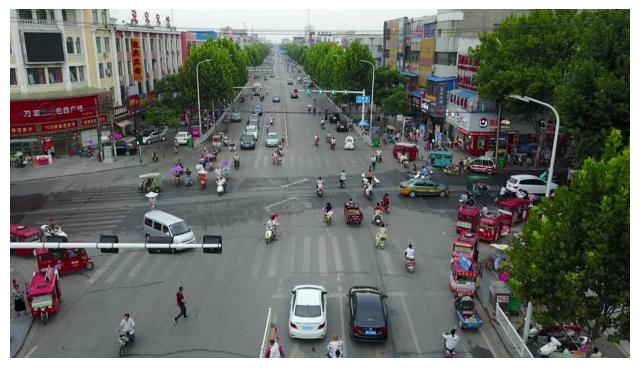
We’ll carry out perturbations on a single image from VisDrone.
data_dir = "./data"
os.makedirs(data_dir, exist_ok=True)

url = "https://data.kitware.com/api/v1/item/623880f14acac99f429fe3ca/download"

img_path = os.path.join(data_dir, "visdrone_img.jpg")
if not os.path.isfile(img_path):
    _ = urllib.request.urlretrieve(url, img_path)  # noqa: S310

img = np.asarray(Image.open(img_path))

plt.figure(figsize=(8, 8))
plt.axis("off")
_ = plt.imshow(img)
We’ll also define a helper functions for displaying our perturbations.
def display_pert(img: np.ndarray, descriptor: str = "", bbox: AxisAlignedBoundingBox | None = None) -> None:
    """Display perturbation."""
    _, axs = plt.subplots(figsize=(8, 8))
    if TYPE_CHECKING:
        assert isinstance(axs, Axes)
    if bbox:
        rect = patches.Rectangle(
            (bbox.min_vertex[0], bbox.min_vertex[1]),
            bbox.max_vertex[0] - bbox.min_vertex[0],
            bbox.max_vertex[1] - bbox.min_vertex[1],
            linewidth=2,
            edgecolor="r",
            facecolor="none",
        )
        axs.add_patch(rect)
    axs.set_title(descriptor)
    axs.imshow(img)

    axs.axis("off")
RandomRain#
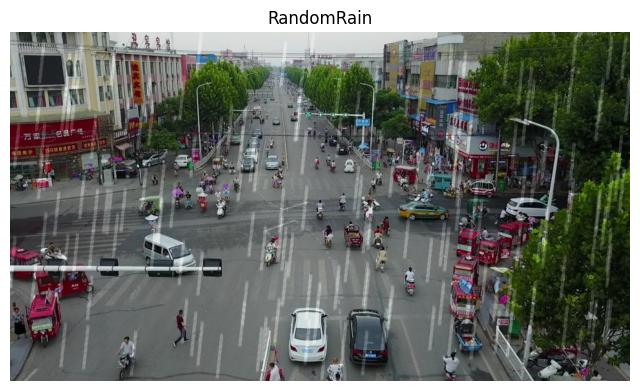
This transform simulates rainfall by overlaying semi-transparent streaks onto the image, creating a realistic rain effect. It can be used to augment datasets for computer vision tasks that need to perform well in rainy conditions.
Usage Notes:
The AlbumentationsPerturber accepts the following arguments:
perturber: Name of the class extendingBasicTransform(e.g. “RandomRain”)parameters: Dictionary of parameters for the chosen perturber’s constructorseed: Optional integer to set a seed for reproducibility
Note that parameters["p"] represents the probability of the perturbation occurring (default: 0.5). To ensure the transform always applies, set "p": 1.0 in the parameters.
parameters = {"brightness_coefficient": 0.9, "drop_width": 1, "blur_value": 5, "p": 1.0}
perturber = AlbumentationsPerturber(perturber="RandomRain", parameters=parameters, seed=7)
img_out, _ = perturber(image=img)
display_pert(img_out, "RandomRain")
RandomFog#
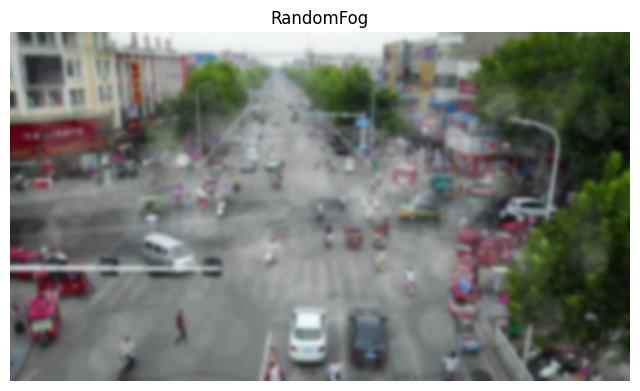
This transform simulates fog by adding semi-transparent overlays that mimic its visual characteristics of fog. The fog intensity and distribution can be controlled to create a range of fog-like conditions.
parameters = {"fog_coef_range": (0.7, 0.8), "alpha_coef": 0.1, "p": 1.0}
perturber = AlbumentationsPerturber(perturber="RandomFog", parameters=parameters, seed=7)
img_out, _ = perturber(image=img)
display_pert(img_out, "RandomFog")
RandomSnow#
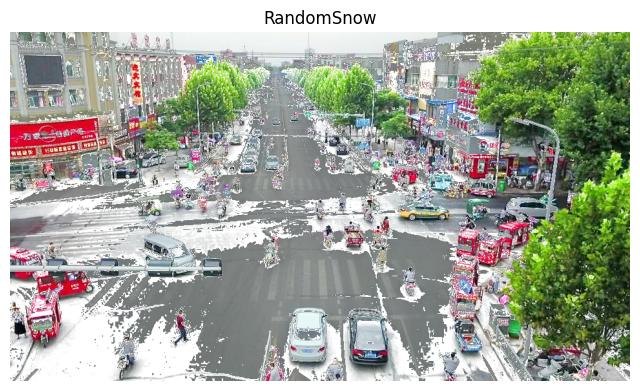
This transform simulates snowfall by bleaching out some pixel values and adjusting brightness, creating a realistic snow effect on the image.
parameters = {"snow_point_range": (0.2, 0.4), "brightness_coeff": 2.5, "p": 1.0}

perturber = AlbumentationsPerturber(perturber="RandomSnow", parameters=parameters, seed=7)
img_out, _ = perturber(image=img)
display_pert(img_out, "RandomSnow")
RandomSunFlare#
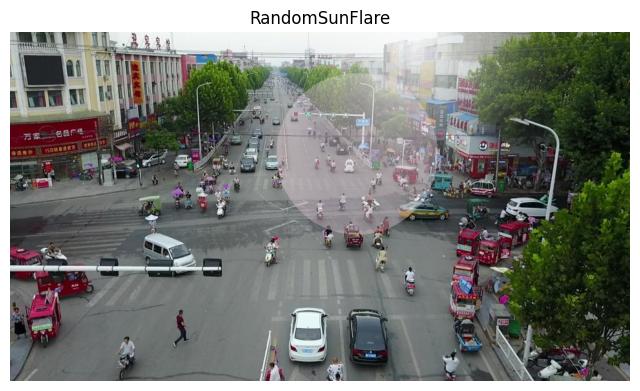
This transform simulates a sun flare effect by overlaying multiple semi-transparent circles of varying sizes and intensities along a line originating from a “sun” point.
parameters = {"flare_roi": (0, 0, 1, 0.5), "angle_range": (0.25, 0.75), "p": 1.0}

perturber = AlbumentationsPerturber(perturber="RandomSunFlare", parameters=parameters, seed=7)
img_out, _ = perturber(image=img)
display_pert(img_out, "RandomSunFlare")
Bounding Boxes#
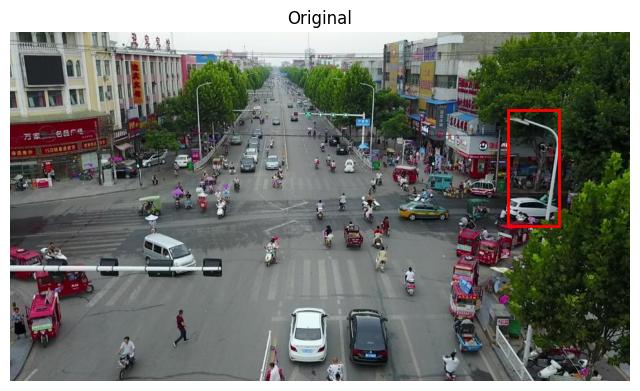
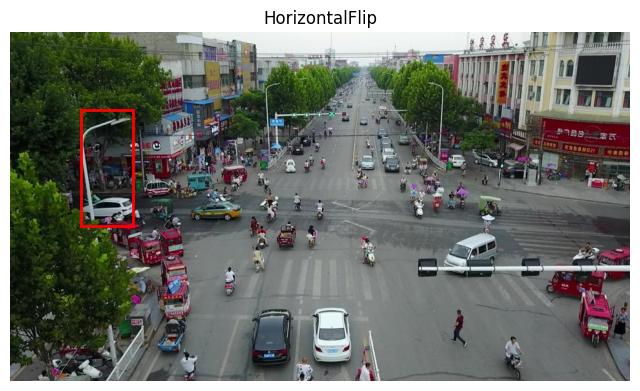
The following example performs a HorizontalFlip to demonstrate how a transform updates bounding boxes.
conf_dict = {}
conf_dict["label"] = 1.0
bboxes = [(AxisAlignedBoundingBox((770, 120), (850, 300)), conf_dict)]
perturber = AlbumentationsPerturber(perturber="HorizontalFlip", parameters={"p": 1})
img_out, output_bboxes = perturber(image=img, boxes=bboxes)
display_pert(img, "Original", bbox=bboxes[0][0])
if output_bboxes:
    op_bboxes = list(output_bboxes)[0][0]
    display_pert(img_out, "HorizontalFlip", bbox=op_bboxes)