Example Notebook for the NRTK Perturber Functionality
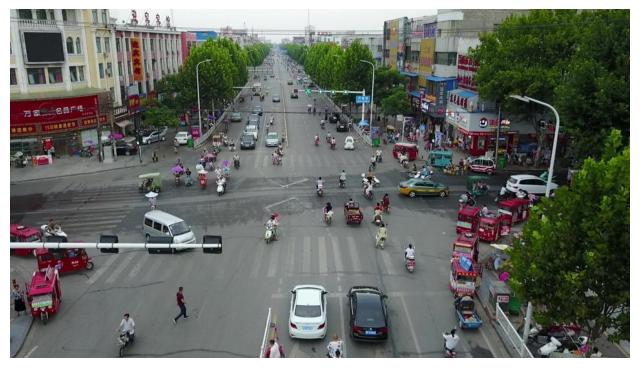
This simple notebook demonstrates how to use the NRTK perturbers. For this notebook, we use a sample image from the VisDrone dataset.
Table of Contents
To run this notebook in Colab, use the link below:

Set Up the Environment
Note for Colab users: After setting up the environment, you may need to “Restart Runtime” in order to resolve package version conflicts (see the README for more info).
Note: We are suppressing warnings within this notebook to reduce visual clutter for demonstration purposes. If any issues arise while executing this notebook, we recommend that this cell is not executed so that any related warnings are shown.
import warnings

warnings.filterwarnings("ignore")
import sys  # noqa: F401

!{sys.executable} -m pip install -qU pip
print("Installing nrtk...")
!{sys.executable} -m pip install -q nrtk
print("Installing matplotlib...")
!{sys.executable} -m pip install -q matplotlib
print("Installing headless OpenCV...")
!{sys.executable} -m pip uninstall -qy opencv-python opencv-python-headless  # make sure they're both gone.
!{sys.executable} -m pip install -q opencv-python-headless
print("Done!")
Installing nrtk...
Installing matplotlib...
Installing headless OpenCV...
Done!
%matplotlib inline
%config InlineBackend.figure_format = "jpeg"  # Use JPEG format for inline visualizations
import os
import urllib.request
from typing import TYPE_CHECKING, Any

import numpy as np
from matplotlib import pyplot as plt
from matplotlib.axes import Axes
from PIL import Image

from nrtk.impls.perturb_image.generic.cv2.blur import AverageBlurPerturber, GaussianBlurPerturber, MedianBlurPerturber
from nrtk.impls.perturb_image.generic.PIL.enhance import (
    BrightnessPerturber,
    ColorPerturber,
    ContrastPerturber,
    SharpnessPerturber,
)
from nrtk.impls.perturb_image.generic.skimage.random_noise import (
    GaussianNoisePerturber,
    PepperNoisePerturber,
    SaltAndPepperNoisePerturber,
    SaltNoisePerturber,
    SpeckleNoisePerturber,
)
Select Initial Image
We’ll carry out perturbations on a single image from VisDrone.
data_dir = "./data"
os.makedirs(data_dir, exist_ok=True)

url = "https://data.kitware.com/api/v1/item/623880f14acac99f429fe3ca/download"

img_path = os.path.join(data_dir, "visdrone_img.jpg")
if not os.path.isfile(img_path):
    _ = urllib.request.urlretrieve(url, img_path)  # noqa: S310

img = np.asarray(Image.open(img_path))

plt.figure(figsize=(8, 8))
plt.axis("off")
_ = plt.imshow(img)
We’ll also define a couple of helper functions for displaying our perturbations.
def display_pert(img: np.ndarray, descriptor: str = "") -> None:
    """Display perturbation"""
    _, axs = plt.subplots(figsize=(8, 8))
    if TYPE_CHECKING:
        assert isinstance(axs, Axes)
    axs.set_title(descriptor)
    axs.imshow(img)
    axs.axis("off")
def config_to_str(config: dict[str, Any]) -> str:
    """Generate string to describe config"""
    out = ", ".join([f"{k}={v}" for k, v in config.items()])

    return f"({out})"
scikit-image Perturbers
First, we’ll look at our scikit-image random noise perturbers. For all of these perturbers, we can specify a psuedo-random number generator (RNG) or seed if results need to be reproducible.
Salt Noise Perturber
The SaltNoisePerturber replaces random pixels with 1.
seed = 42
amount = 0.25

salt_noise_perturber = SaltNoisePerturber(
    rng=seed,
    amount=amount,
)
salt_noise_out, _ = salt_noise_perturber(img)
display_pert(salt_noise_out, f"Salt Noise Perturber {config_to_str(salt_noise_perturber.get_config())}")
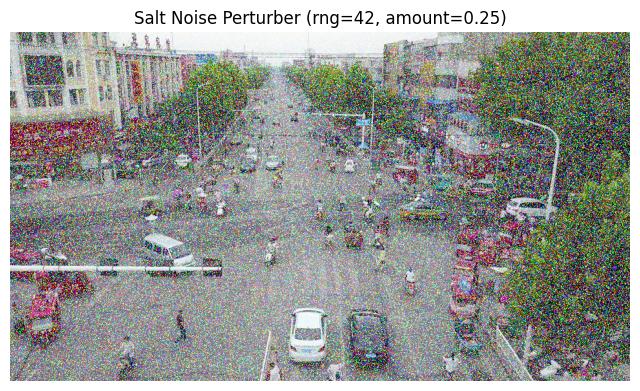
Since we specified a seed, we can confirm that our results are reproducible:
salt_noise_perturber_2 = SaltNoisePerturber(
    rng=seed,
    amount=amount,
)
salt_noise_out_2, _ = salt_noise_perturber_2(img)
print(np.array_equal(salt_noise_out, salt_noise_out_2))
assert np.array_equal(salt_noise_out, salt_noise_out_2)  # noqa: S101
True
Pepper Noise Perturber
The PepperNoisePerturber replaces random pixels with 0 (for unsigned images) or -1 (for signed images).
seed = 42
amount = 0.25

pepper_noise_perturber = PepperNoisePerturber(
    rng=np.random.default_rng(seed),
    amount=amount,
)
pepper_noise_out, _ = pepper_noise_perturber(img)
display_pert(pepper_noise_out, f"Pepper Noise Perturber {config_to_str(pepper_noise_perturber.get_config())}")
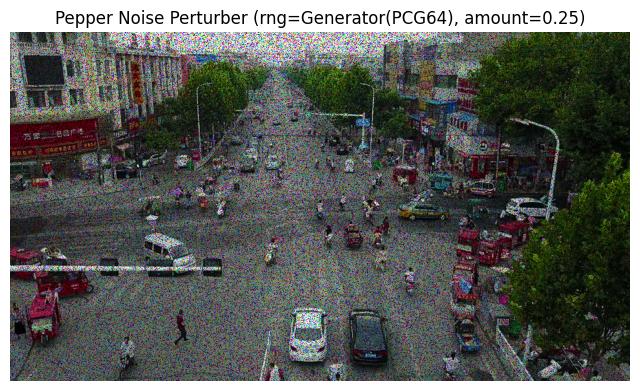
Again, we can confirm that our results are reproducible, but this time we’re directly using a generator:
pepper_noise_perturber_2 = PepperNoisePerturber(
    rng=np.random.default_rng(seed),
    amount=amount,
)
pepper_noise_out_2, _ = pepper_noise_perturber_2(img)
print(np.array_equal(pepper_noise_out, pepper_noise_out_2))
assert np.array_equal(pepper_noise_out, pepper_noise_out_2)  # noqa: S101
True
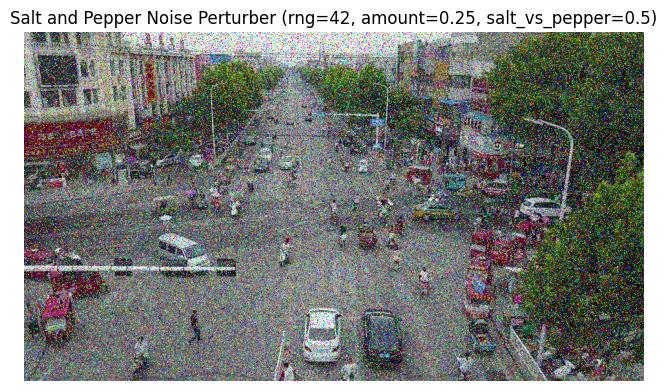
Salt and Pepper Noise Perturber
The SaltAndPepperNoisePerturber replaces random pixels with either salt or pepper noise. Just as before, reproducibility is possible with the rng parameter, but we won’t continue to demonstrate that.
seed = 42
amount = 0.25
salt_vs_pepper = 0.5

sp_noise_perturber = SaltAndPepperNoisePerturber(
    rng=seed,
    amount=amount,
    salt_vs_pepper=salt_vs_pepper,
)
sp_noise_out, _ = sp_noise_perturber(img)
display_pert(sp_noise_out, f"Salt and Pepper Noise Perturber {config_to_str(sp_noise_perturber.get_config())}")
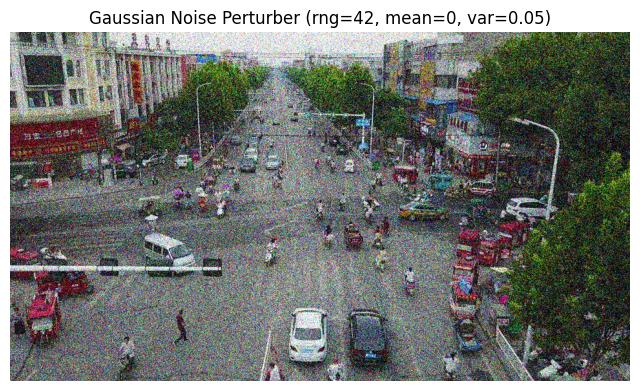
Gaussian Noise Perturber
The GaussianNoisePerturber adds Gaussian-distributed noise to the image.
seed = 42
mean = 0
var = 0.05

gaussian_noise_perturber = GaussianNoisePerturber(
    rng=seed,
    mean=mean,
    var=var,
)
gaussian_noise_out, _ = gaussian_noise_perturber(img)
display_pert(gaussian_noise_out, f"Gaussian Noise Perturber {config_to_str(gaussian_noise_perturber.get_config())}")
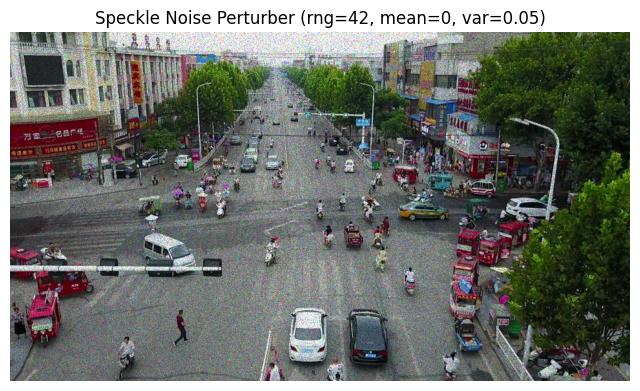
Speckle Noise Perturber
The SpeckleNoisePerturber adds multiplicative, Gaussian-distributed noise to the image.
seed = 42
mean = 0
var = 0.05

speckle_noise_perturber = SpeckleNoisePerturber(
    rng=seed,
    mean=mean,
    var=var,
)
speckle_noise_out, _ = speckle_noise_perturber(img)
display_pert(speckle_noise_out, f"Speckle Noise Perturber {config_to_str(speckle_noise_perturber.get_config())}")
OpenCV Perturbers
Next, we’ll look at our OpenCV blur perturbers.
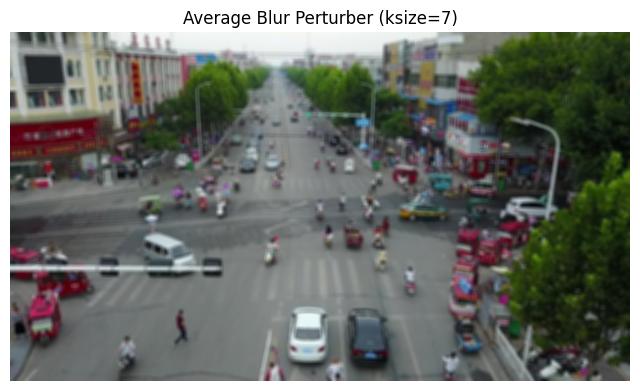
Average Blur Perturber
The AverageBlurPerturber applies “average” blurring to the image stimulus. To achieve this, OpenCV convolves the image with a normalized box filter, so the average of the pixels under the kernel replaces the central element.
ksize = 7

avg_blur_perturber = AverageBlurPerturber(
    ksize=ksize,
)
avg_blur_out, _ = avg_blur_perturber(img)
display_pert(avg_blur_out, f"Average Blur Perturber {config_to_str(avg_blur_perturber.get_config())}")
Gaussian Blur Perturber
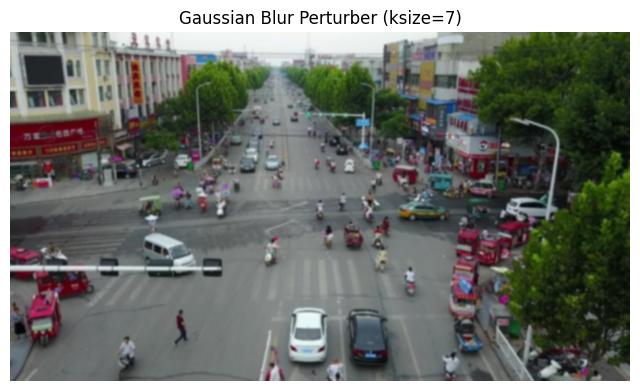
The GaussianBlurPerturber applies Gaussian blurring to the image stimulus by using a Gaussian kernel instead of a normalized box filter.
ksize = 7

gaussian_blur_perturber = GaussianBlurPerturber(
    ksize=ksize,
)
gaussian_blur_out, _ = gaussian_blur_perturber(img)
display_pert(gaussian_blur_out, f"Gaussian Blur Perturber {config_to_str(gaussian_blur_perturber.get_config())}")
Median Blur Perturber
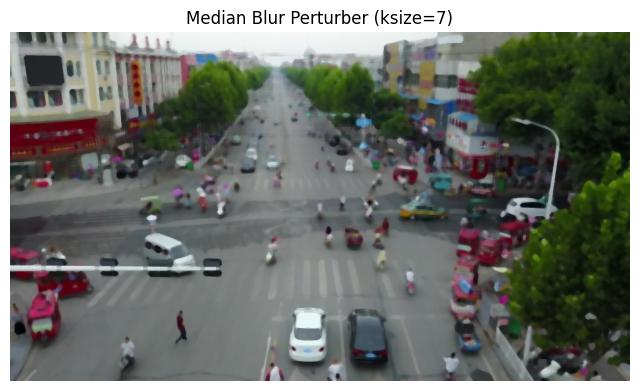
The MedianBlurPerturber applies median blurring to the image stimulus, where the central element is replaced with the median value of the pixels under the kernel.
ksize = 7

median_blur_perturber = MedianBlurPerturber(
    ksize=ksize,
)
median_blur_out, _ = median_blur_perturber(img)
display_pert(median_blur_out, f"Median Blur Perturber {config_to_str(median_blur_perturber.get_config())}")
PIL Perturbers
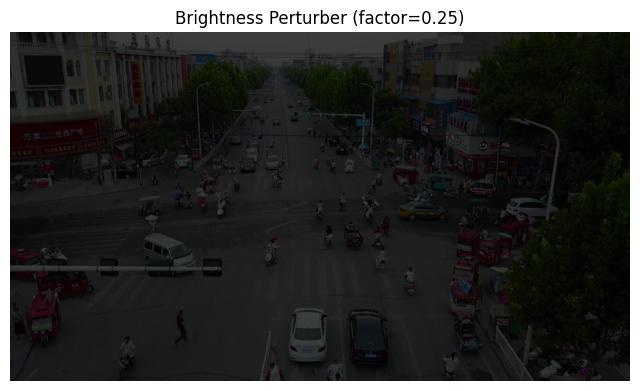
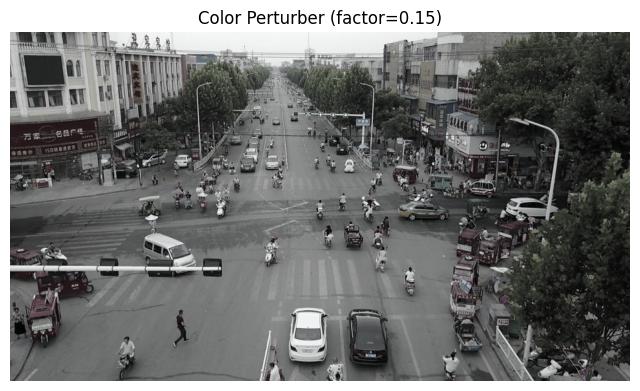
Next, we’ll look at our Python Imaging Library (PIL) enhance perturbers. A factor of 1.0 returns a copy of the original image. Lower factor values mean less of the relevant enhancement (e.g. brightness) while higher values mean more.
Brightness Perturber
The BrightnessPerturber adjusts the brightness of the image stimulus.
factor = 0.25

brightness_perturber = BrightnessPerturber(
    factor=factor,
)
brightness_out, _ = brightness_perturber(img)
display_pert(brightness_out, f"Brightness Perturber {config_to_str(brightness_perturber.get_config())}")
Color Perturber
The ColorPerturber adjusts the color balance of the image stimulus.
factor = 0.15

color_perturber = ColorPerturber(
    factor=factor,
)
color_out, _ = color_perturber(img)
display_pert(color_out, f"Color Perturber {config_to_str(color_perturber.get_config())}")
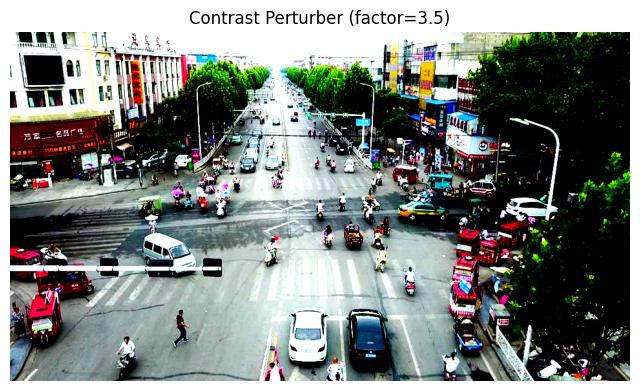
Contrast Perturber
The ContrastPerturber adjusts the contrast of the image stimulus.
factor = 3.5

contrast_perturber = ContrastPerturber(
    factor=factor,
)
contrast_out, _ = contrast_perturber(img)
display_pert(contrast_out, f"Contrast Perturber {config_to_str(contrast_perturber.get_config())}")
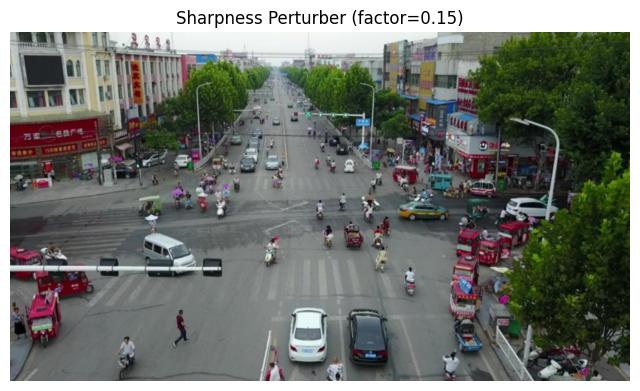
Sharpness Perturber
The SharpnessPerturber adjusts the sharpness of the image stimulus. The sharpness factor is limited to [0.0, 2.0].
factor = 0.15

sharpness_perturber = SharpnessPerturber(
    factor=factor,
)
sharpness_out, _ = sharpness_perturber(img)
display_pert(sharpness_out, f"Sharpness Perturber {config_to_str(sharpness_perturber.get_config())}")